 2 PLAYERS MADNESS
 Crazy Push
 Spear of Janissary
 Janissary Battles
 Gun of Janissary
 Catapult of Janissary
 Ping Pong Chaos
 Mace of Janissary
 Dragon Fist 3D
 Fish Eat Grow Mega
 Minigolf Kingdom
 Sword of Janissary
 Micro Tank Wars
 Comic Stars Fighting 3.2
 Gun Mayhem 2
 Pill Volley
 Four Colors
 Mini Golf
 Epic Battle Puzzle
 Fairy Tail vs One Piece 1.1
 Ghost Wiper
 Capoeira Fighter 3: Ultimate World Tournament
 City Minibus Driver
 Zomboids Challenge 2
 Newgrounds Rumble
 Castel Wars: Modern
 Zombie Parade Defense
 12 MiniBattles
 Multiplayer Drift
 Zombie Parade Defense 4
 Anime Legends 2.5
2 PLAYERS MADNESS
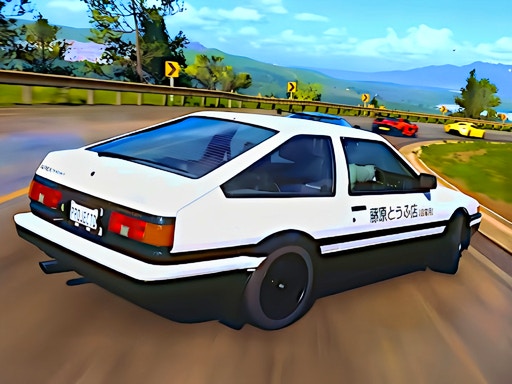
Hey there! It’s time to get ready for a fun racing competition with your friends!
To start, simply click the “Play” button to begin the game. If you need a little help getting started, you can check out the tips and tricks in the top right corner. Just click the “Play” button again and select the “Two Player” option from the menu to start racing with a friend or two. You’ll even get to compete against some tough opponents from around the world!
When the game begins, you’ll see “Player 1” and “Player 2” labels displayed above the cars in colorful circles. We hope you have a blast racing and outsmarting your friends and opponents!
Game Controls:
Player 1:
- Move: Use the “W, A, S, D” keys to steer your car
- Nitro: Tap the “F” key to give your car a speed boost
- Look back: Press the “T” key to check your surroundings
- Respawn: Hit the “R” key to restart if you crash
- Handbrake: Press the “SPACE” bar to perform a handbrake turn
Player 2:
- Move: Use the arrow keys to control your car
- Nitro: Tap the “K” key to unleash a speed boost
- Respawn: Press the “O” key to restart if you crash
- Look back: Hit the “L” key to check your surroundings
- Handbrake: Press the RIGHT-SHIFT key to perform a handbrake turn
Have fun, and may the best driver win!
Favorite games
You haven't marked any game as favorite yet.


Recently played
You haven't played any game yet.